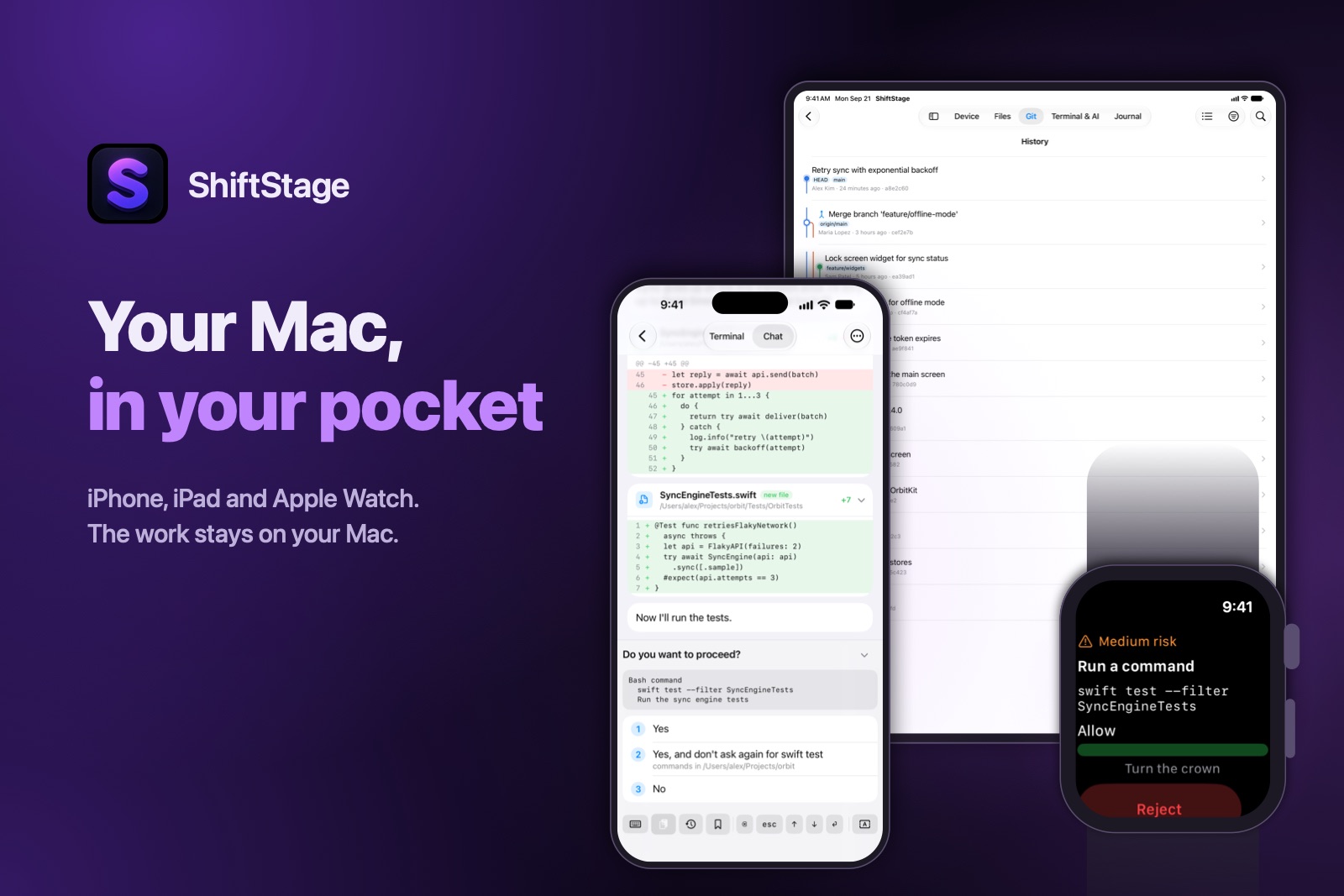
iPhone · iPad · Apple Watch · an agent on your Mac
Read the diff. Answer the agent. Push. From your phone.
ShiftStage is an iPhone app that drives your own Mac: its terminal,
git, files, processes and the AI coding agents running on it. A small agent on
the Mac serves them, end to end encrypted — no SSH server to open, no port to
forward.
Free forever for one Mac on your own network, no account.
$6.99 a month to reach it from anywhere.
Not in the App Store yet — the app and the agent ship together,
once the agent is notarised.
Works with the agents already on your Mac
Claude Code
Codex CLI
Gemini CLI
Cursor Agent
Amp
opencode
Crush
Goose
Aider
Qwen Code
Factory Droid
Found on your PATH without configuration. Anything else
runs in the terminal as it is.
The Mac's own services, not a picture of its screen
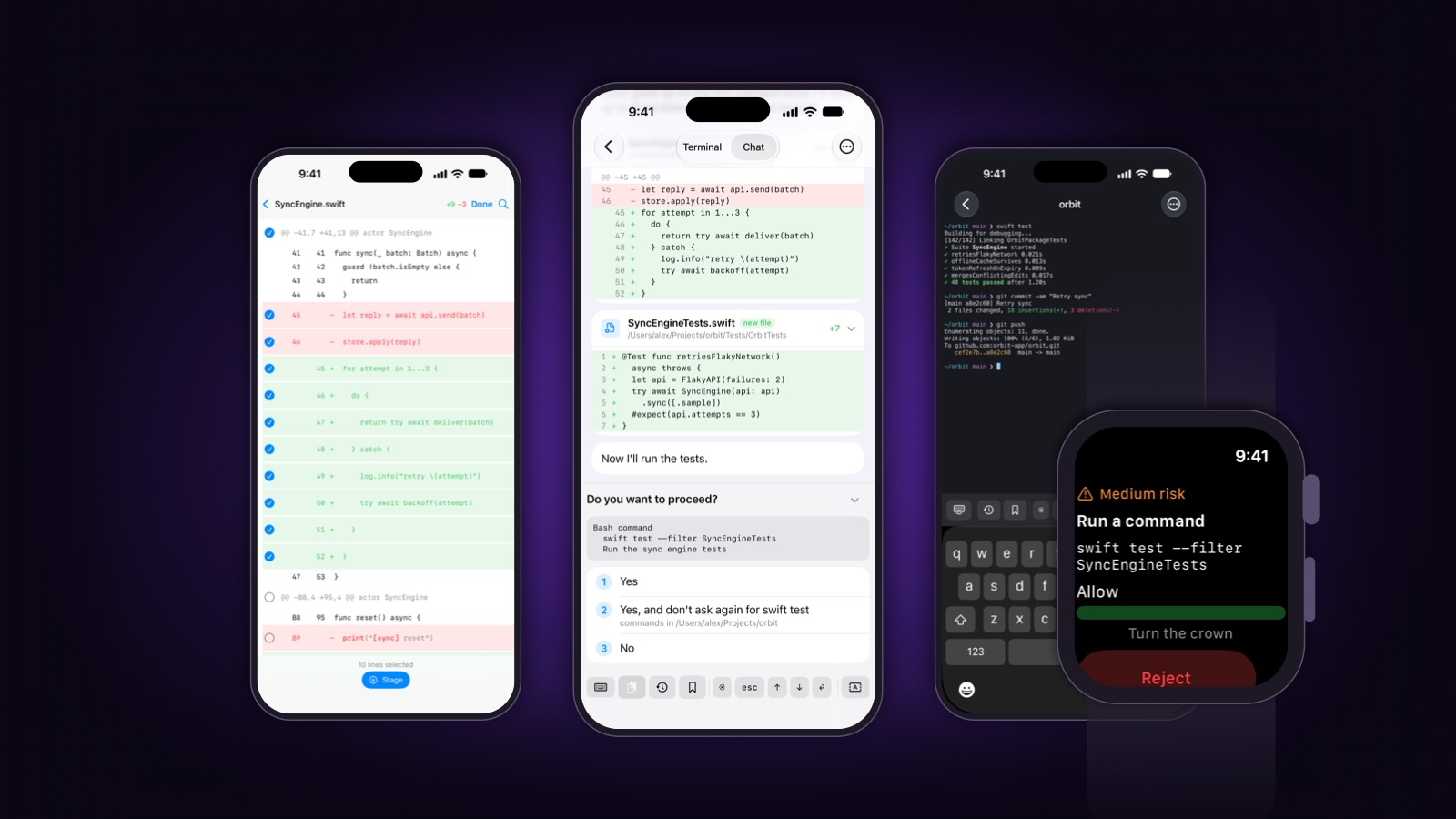
Every screen below is the app itself, on a sample project.
AI sessions
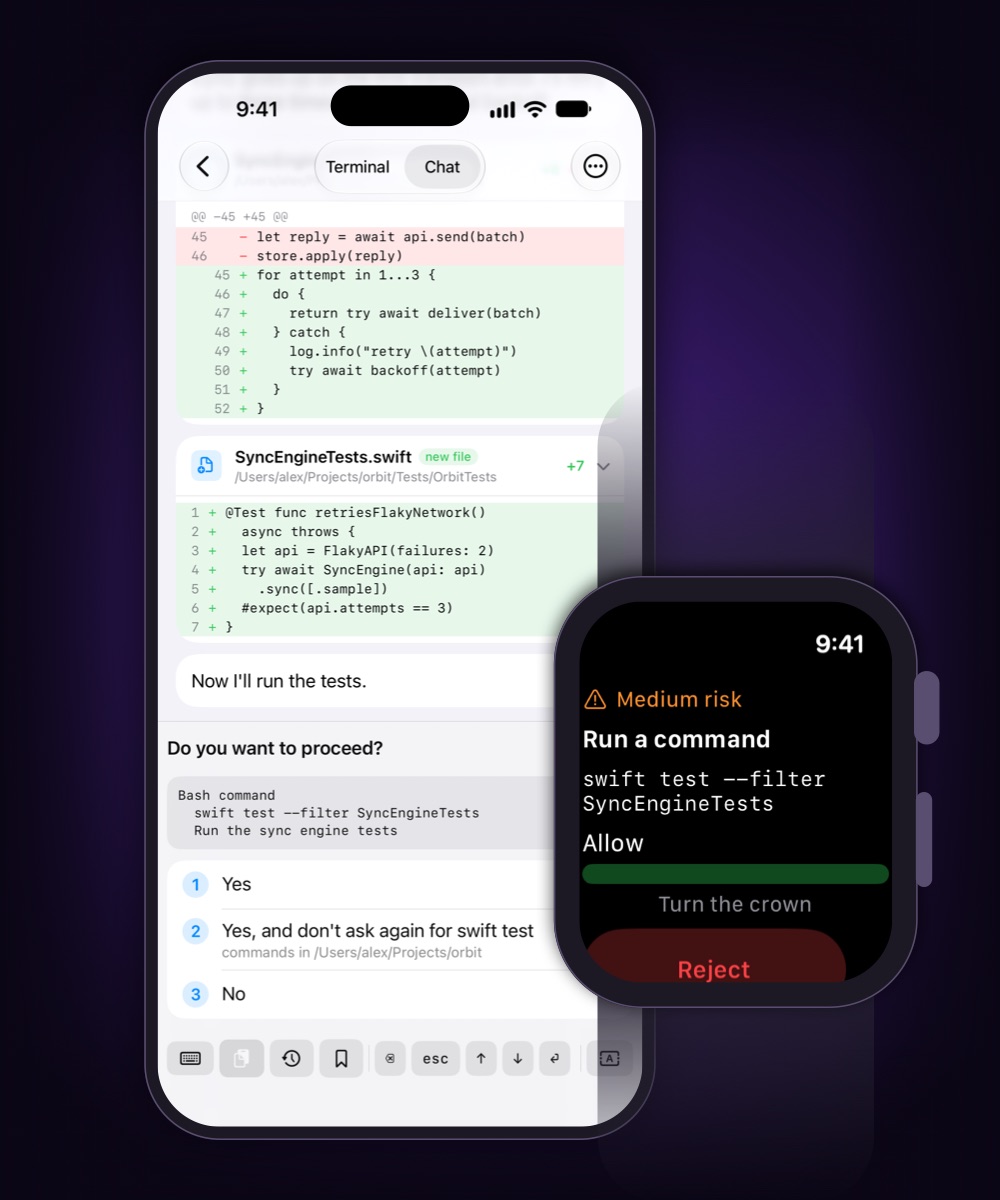
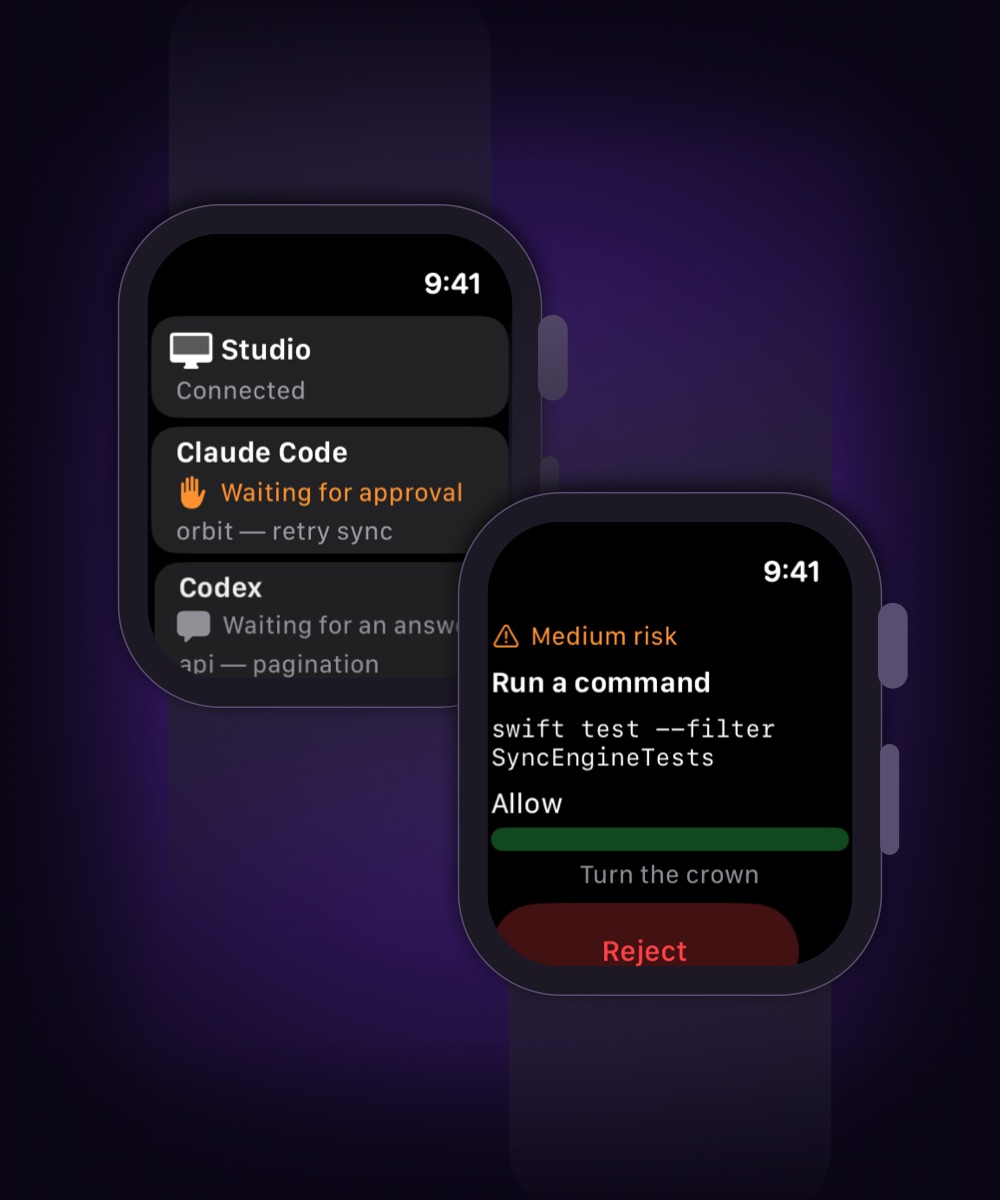
The agent stops to ask. You answer from wherever you are.
Hand Claude Code or Codex a job, lock the phone and leave. When it needs a
human, the question arrives with the command and its risk named — and the
options become buttons, on the phone or on your wrist.
A chat view for Claude Code, Codex, Gemini CLI, Qwen Code and opencode:
replies, tool calls and file edits as a conversation, read from the tool's
own record. The raw terminal is one tap away.
The session lives on the Mac. Close the app or lose signal — it keeps
working.
A session you started by hand in your own terminal shows up too.
Your keys, your subscriptions. No model runs on our side, and the
conversation never reaches us.
Git
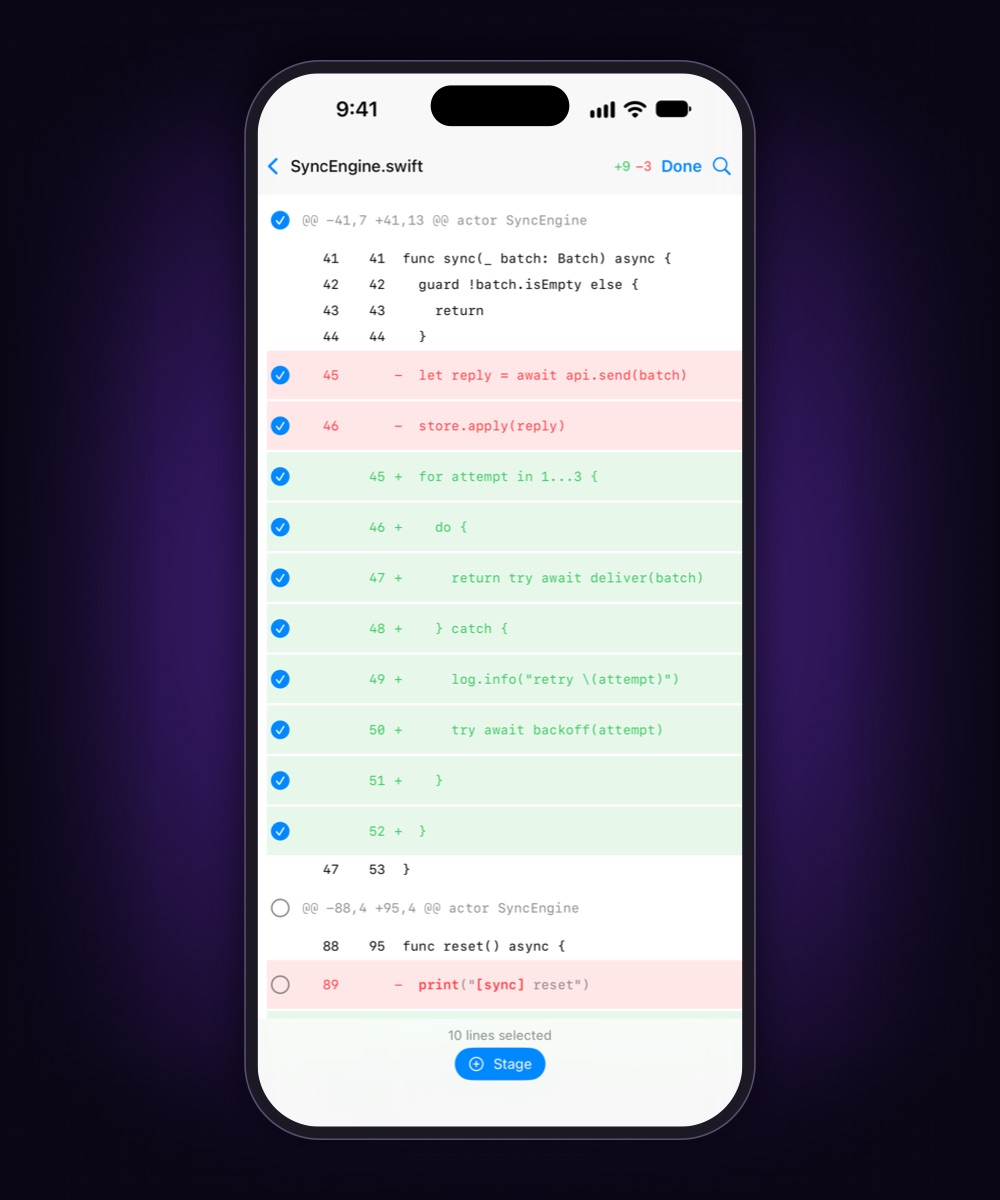
A diff you can actually review on six inches.
Git as structure, not scraped text: syntax colour, changed fragments marked
inside the line, added and removed counted per file. Twelve files changed and
four deserve to land — stage those, commit, push.
Stage single lines, whole hunks, files, a multi-selection or a folder
subtree.
Search inside the diff, with a match counter.
Fetch, pull with rebase or merge, push. Remote credentials stay on the
Mac.
Merge conflicts arrive with all three sides; resolve per file or per
block.
Terminal
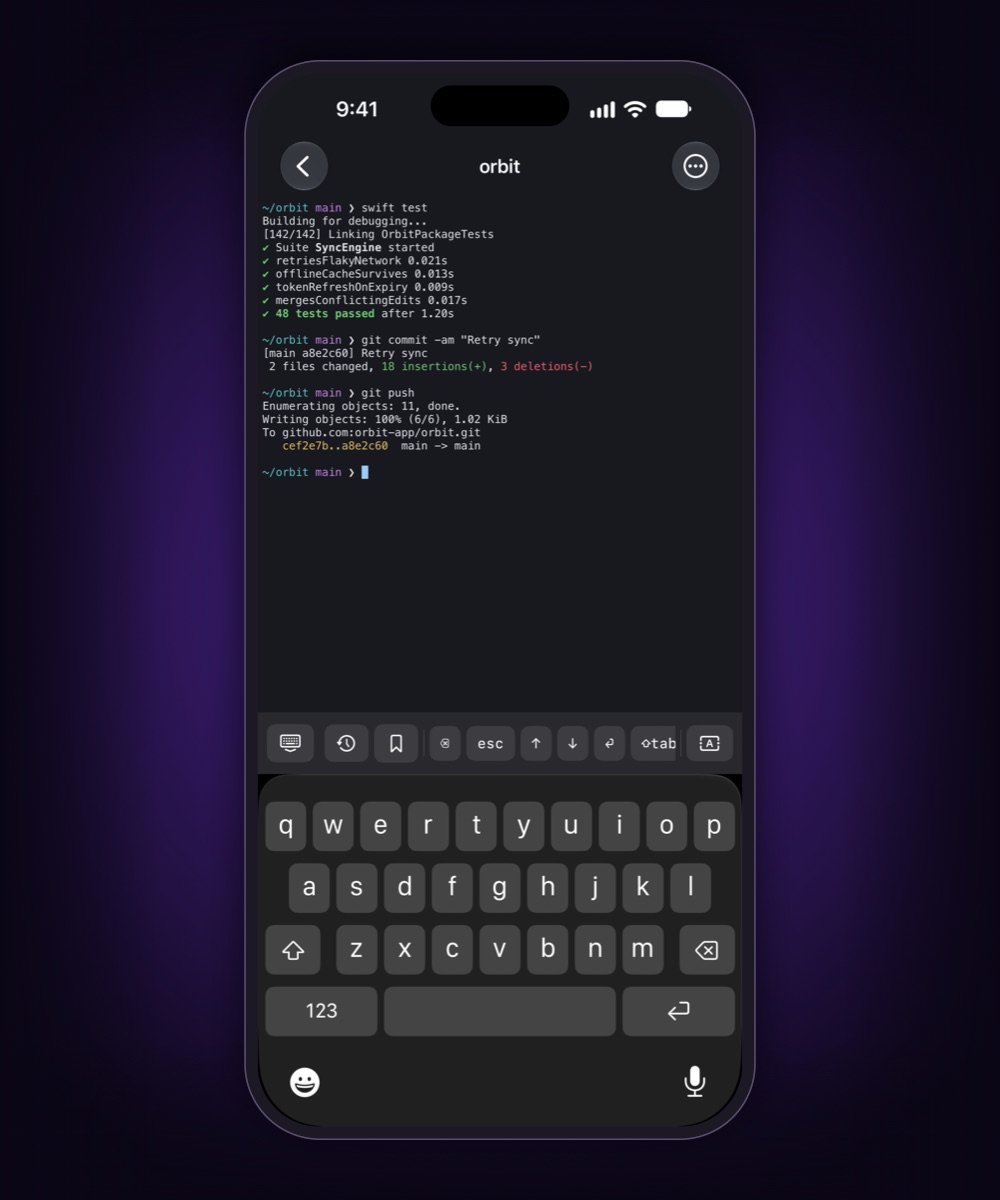
A real PTY with your shell, your dotfiles, your tools.
Not an emulator talking to a server somewhere: your login shell on your Mac,
with ANSI colour and full-screen programs intact. Several sessions at once, and
they survive the app going to the background.
Ctrl, Esc, arrows and Tab on a row above the keyboard; snippets on one
tap.
What you type appears at once instead of waiting for the echo.
sudo gets a hidden field, filled by Face ID — if you switched
that on on the Mac.
Files
The file is on the Mac. The Mac is not with you.
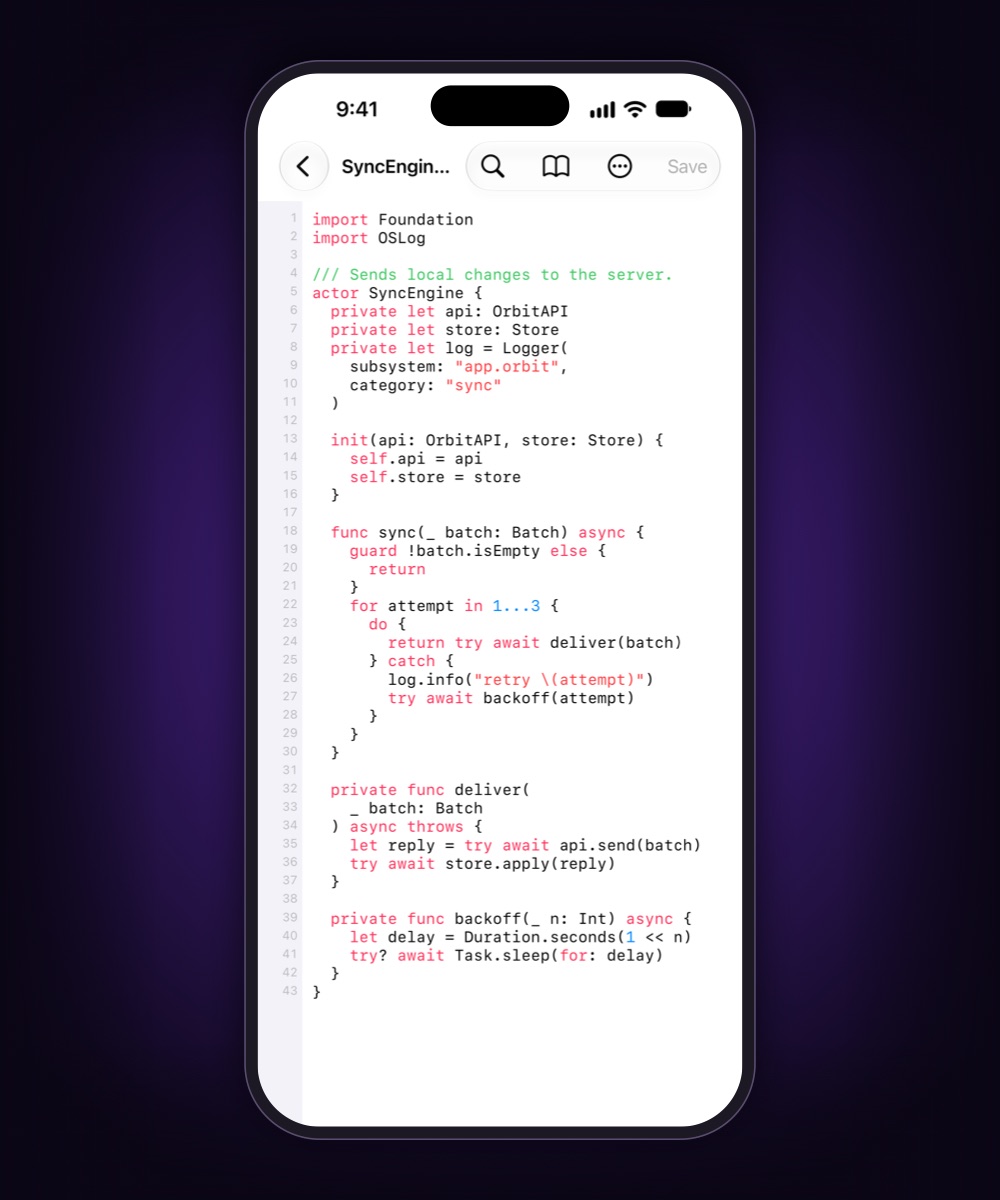
Browse every workspace the Mac shares. Code opens highlighted, markdown
rendered, images and PDFs previewed — streamed, not downloaded first.
Edit and save in place, with a warning if the file changed on disk.
Send it out through the share sheet; bring a photo from the gallery into
the project folder.
Search names and contents across all workspaces; results stream in as
they are found.
What you chose to keep opens later with the Mac asleep.
And the rest of the machine
History
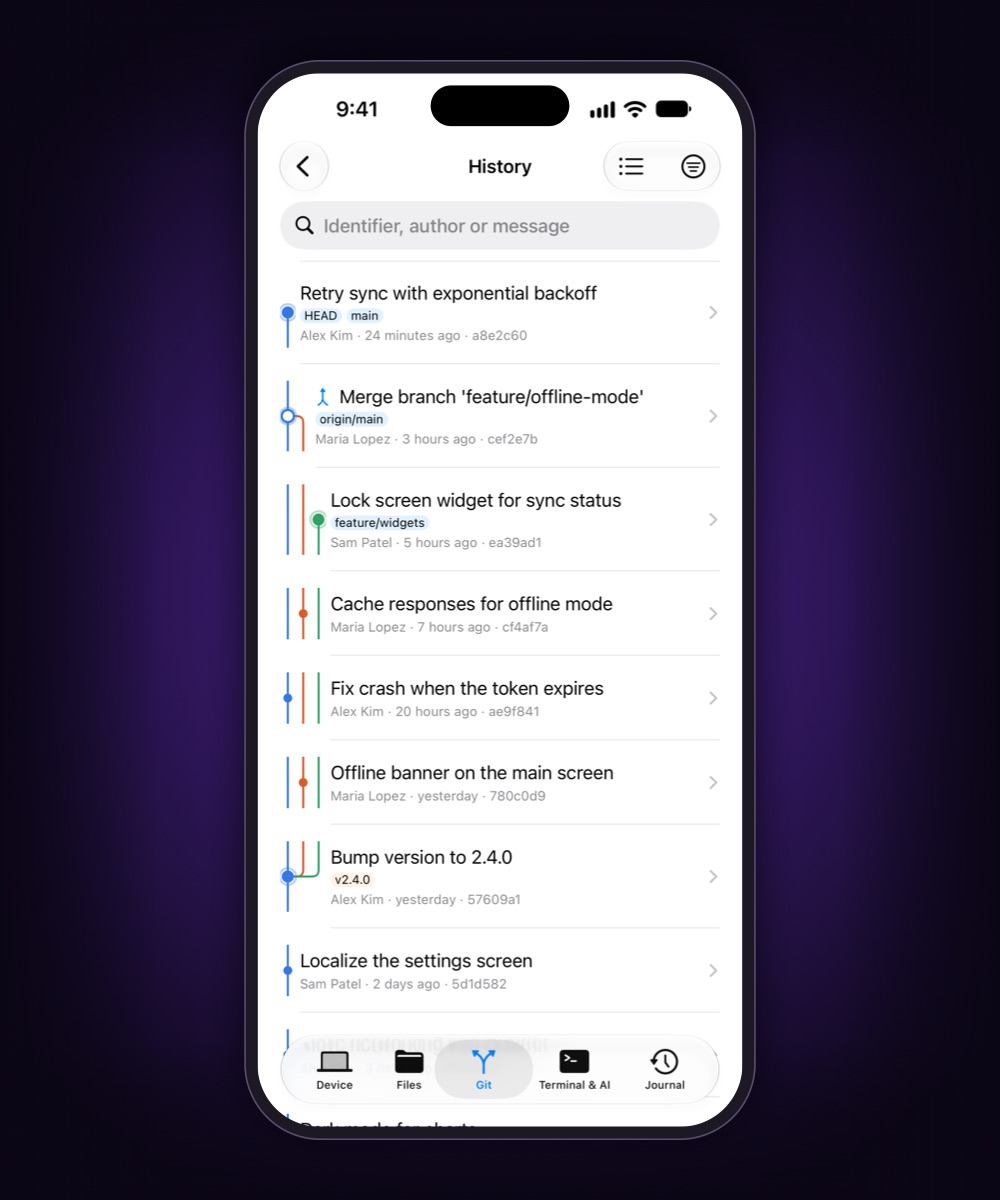
Any branch as a list or a graph with its tags. Filter by author, file or
message; revert, cherry-pick, branch or reset from a commit.
Processes
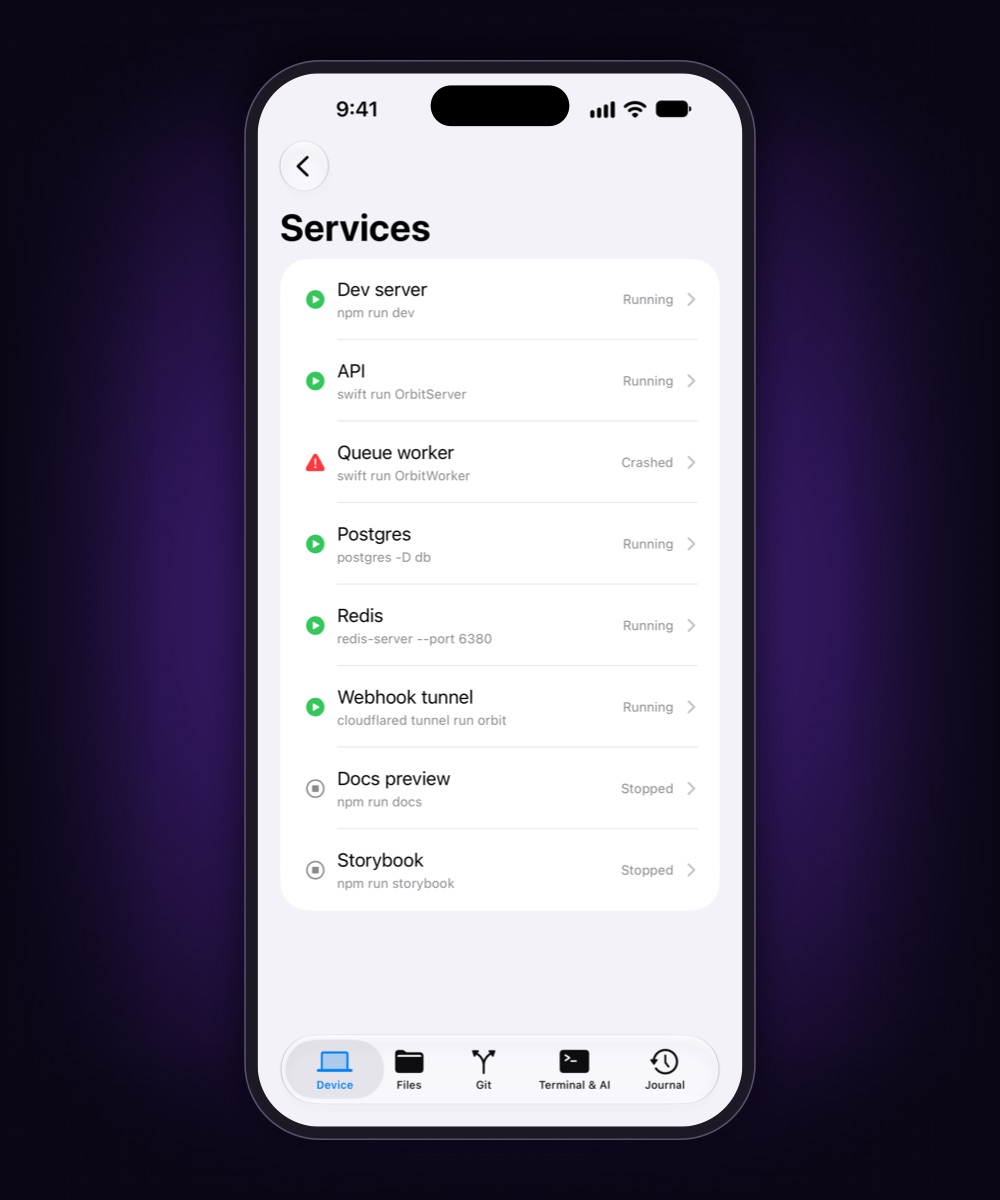
What runs, what it costs, which ports it holds. Keep your dev servers under
watch and hear about it when one dies.
CI/CD
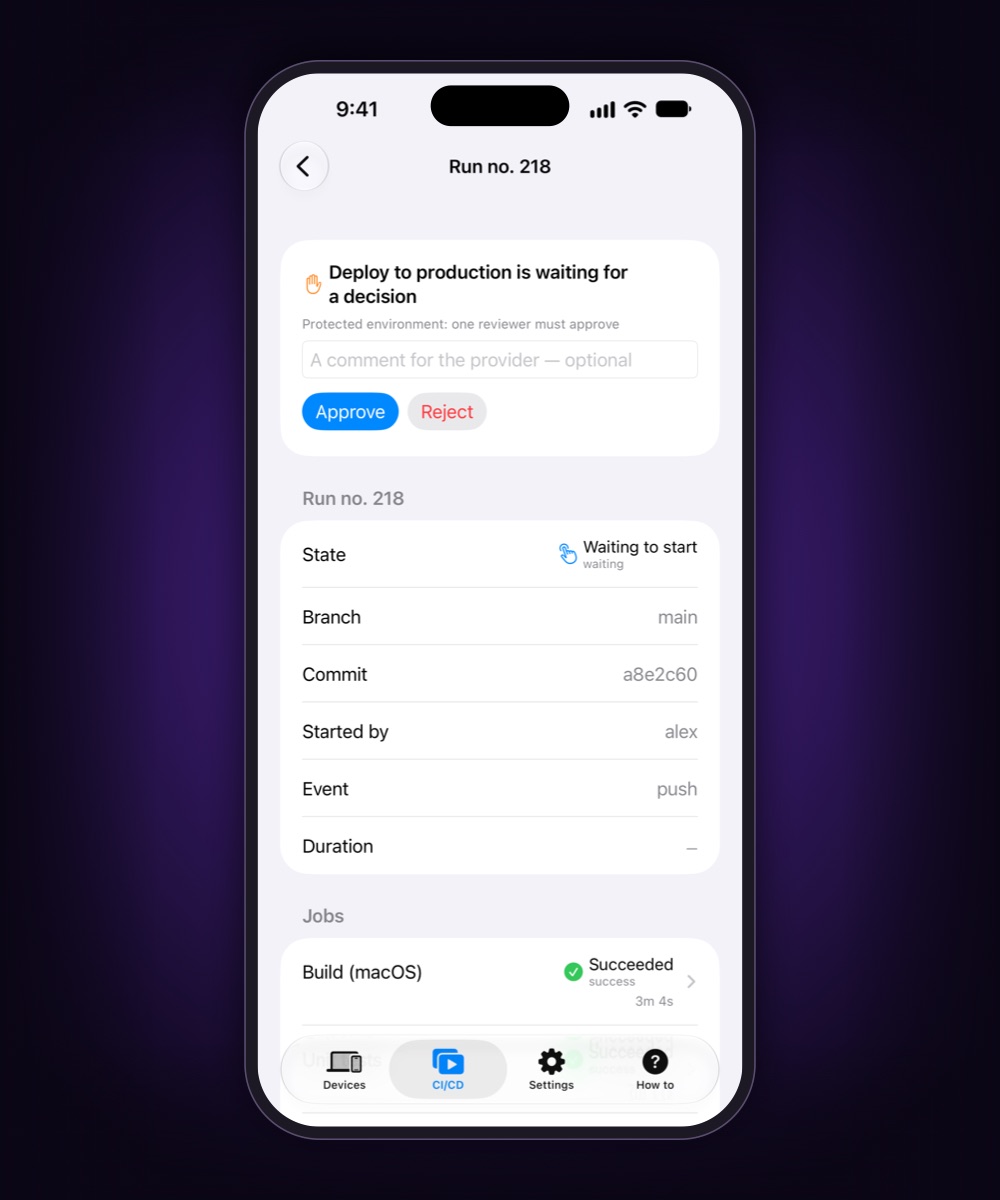
GitHub Actions, GitLab, Jenkins and TeamCity. Rerun failed jobs, approve a
waiting deploy, read a log folded into steps. Needs no Mac at all.
Apple Watch
Its own key, straight to the Mac. Low risk is a tap, medium a turn of the
crown, high only on the phone.
Also: push notifications that name the build or the session, Live
Activities for long builds, transfers and agent sessions, a widget with the Mac's
state, and an access log that stays on the Mac.
Set up once, on your own network
Install the agent
A signed, notarised Mac app from this site. It shares only the folders you
name.
Pair the phone
Scan the code the agent shows and confirm the same words on both screens. No
account.
Leave the desk
On the same Wi-Fi they talk directly. Away, they connect peer to peer — and
through a relay that sees only ciphertext when networks refuse.
Why not the tools you already have
They are good tools. They solve a different problem.
Question
ShiftStage
SSH appsTermius, Blink Shell, Moshi
Claude Code Remote Control
Remote desktopScreens, Jump Desktop
What the phone gets
Native screens for terminal, git, files, processes, CI/CD and agent sessions
A terminal; Moshi adds agent views through its own hook
The conversation of one Claude Code session
A video of a screen built for a mouse
Coding agents
Eleven found on your PATH; questions become buttons
Any, as terminal text
Claude Code only
Whatever is on the screen
On the Mac
The agent; pairing on your own network
Remote Login switched on, keys set up
claude remote-control, signed in to claude.ai
Screen Sharing or the vendor's host app
Away from home
Built in: direct first, encrypted relay as fallback
Yours to arrange: a VPN such as Tailscale, or port forwarding
We do not store your files, your commands or your session output.
Not as a policy — they never leave the pair of devices in a form anyone else can
read.
Three paths, tried in that order. The relay only carries bytes it cannot read.
TLS 1.3 over QUIC, both ways. Phone and Mac authenticate each other by
device keys held in the Secure Enclave. Our nodes know two fingerprints are
talking, not what they say.
Pairing needs the Mac in front of you. A code on its screen, the same
words on both devices, and a list on the Mac where any device is revoked in one
click.
The Mac decides. Named folders are all the phone can see. Ending
processes and sudo from the phone start switched off, and the
relay can be forbidden per Mac.
A log you keep. Every operation a device asked for is recorded on the
Mac, never file contents or output — and the protocol has no command to read it
out.
Your own node, if you like. The rendezvous and relay server is open to
self-host, so nobody — us included — sees who connected to whom.
How
No trackers here either. This site runs no scripts, sets no cookies and
loads nothing from other domains.
One price. Features are not rationed.
The subscription does not unlock features. It opens distance and
scale.
At home
Free
forever, no account
One Mac on your own network
Every service: terminal, git, files, processes, AI sessions, CI/CD,
Watch
Through the App Store: the trial, renewal and cancellation work like
any other subscription there. US prices; the store shows yours. If a
subscription lapses mid-session, the session is not cut — the next connection from
outside is the one that will not open.
Questions
Is this a remote desktop?
No. A remote desktop streams pixels of a screen designed for a mouse.
ShiftStage sends the services themselves — the terminal is a terminal, the
diff is a diff — and the phone draws them natively.
Does it run AI models?
No. It drives the agentic CLIs already installed on your Mac, with your keys,
your config and your subscriptions. Nothing is sent to us.
Why not just SSH?
Use SSH — the terminal here does not replace it. What a pipe cannot give you
is a diff as structure, a file browser with previews, a process list, a push
when the build ends, or an agent's question you can answer from a watch. And
no SSH server needs to be reachable from outside.
Which networks does it work on?
Same Wi-Fi: directly, found over Bonjour. Different networks: directly
whenever hole punching succeeds, through a relay when it does not. Mobile
networks and hotel Wi-Fi are the normal case, and there is an entry point on
port 443 for networks that block everything else.
Does it work when the Mac is asleep?
No, and it tells you so instead of timing out. The agent can keep the Mac
awake while you are away, if you switch that on. Files you chose to keep on the
phone open without the Mac.
What do I need?
An iPhone or iPad on iOS 18 or later, a Mac on macOS 15 or later, and an Apple
Watch on watchOS 11 if you want one on your wrist.
Android? A Linux agent?
No. The app is native iOS, iPadOS and watchOS; the agent is native macOS. A
cross-platform shell would have cost exactly the thing the product is for.
 ShiftStage